
What it does
Built around the sessions you already run
Agent Companion reads the session files Claude Code already writes, keeps its own index on your Mac, and drives iTerm2 or Terminal. It doesn't wrap or patch Claude Code.
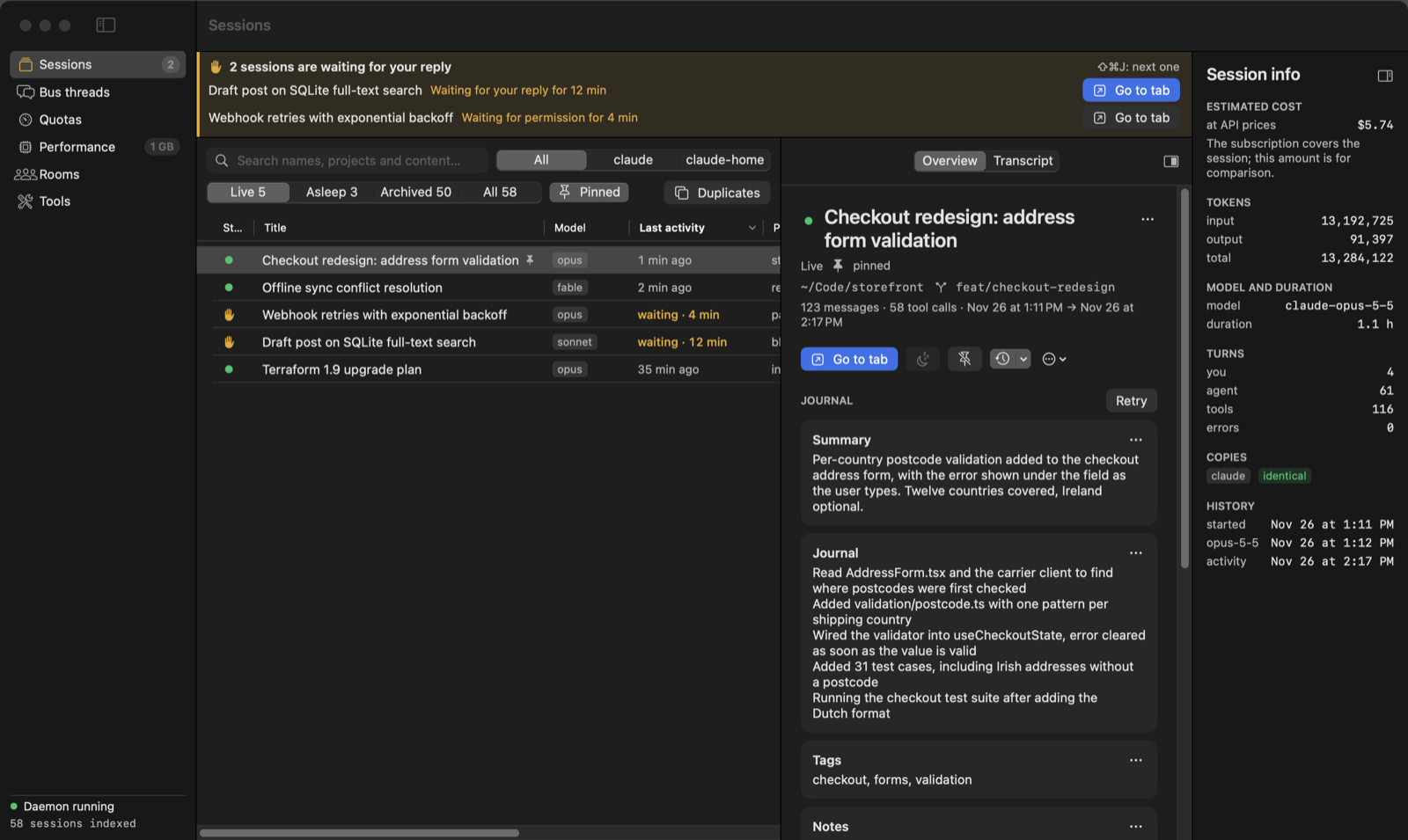
Find the session you need
One live list for every profile (~/.claude, ~/.claude-*), open or closed, with full-text search across prompts, answers and tool calls.
Don't remember the words? Describe the session and the model finds it.
Get your memory back
An idle session keeps its claude process, its MCP servers and its shells running. Put it to sleep and all of that is freed. Wake it later and it resumes at the same point, in a new tab or in the terminal you're in.
Automatic hibernation follows memory pressure and is off by default. It never touches a session that is working, waiting for you, or pinned.
Plan around your limits
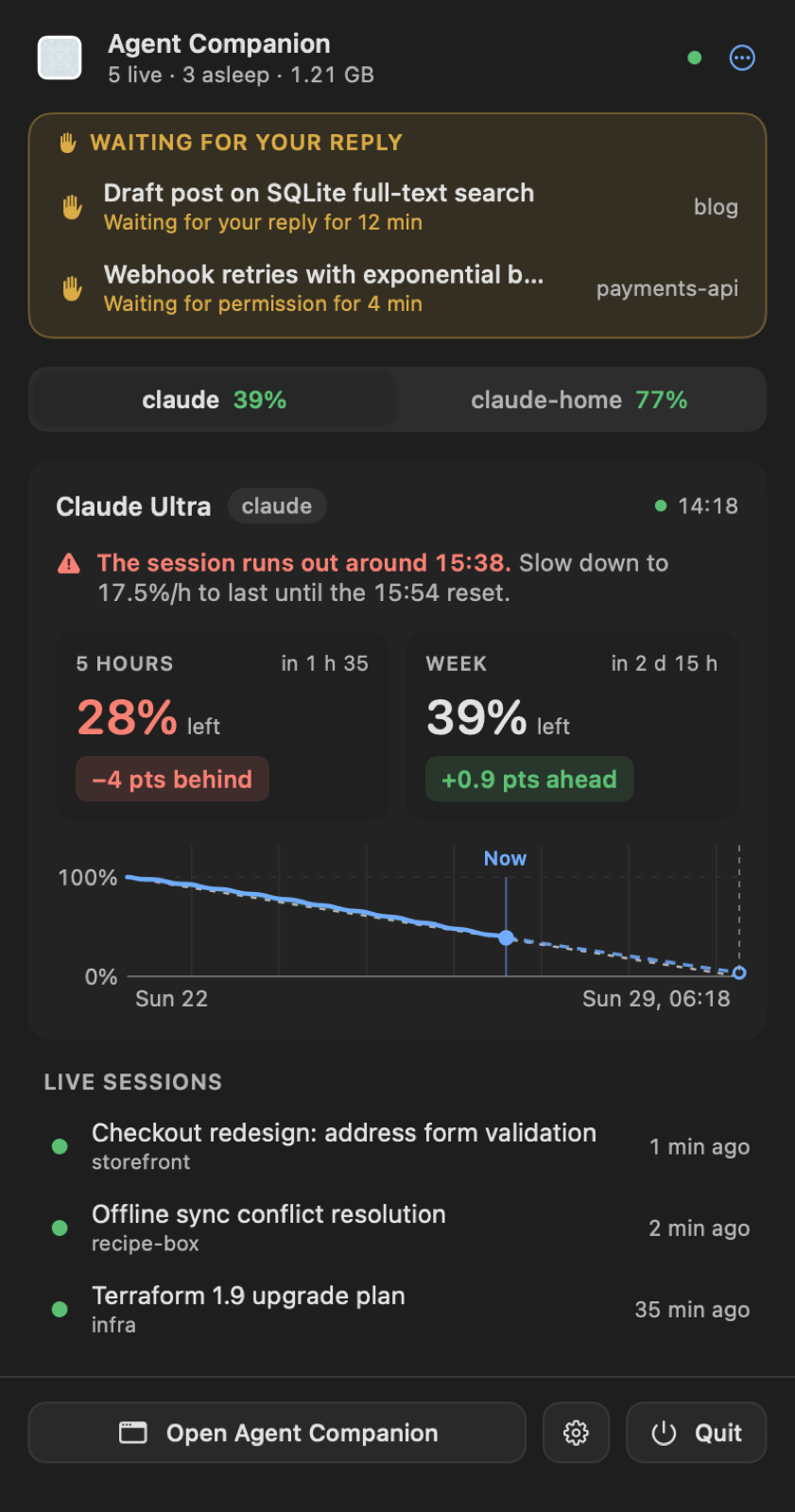
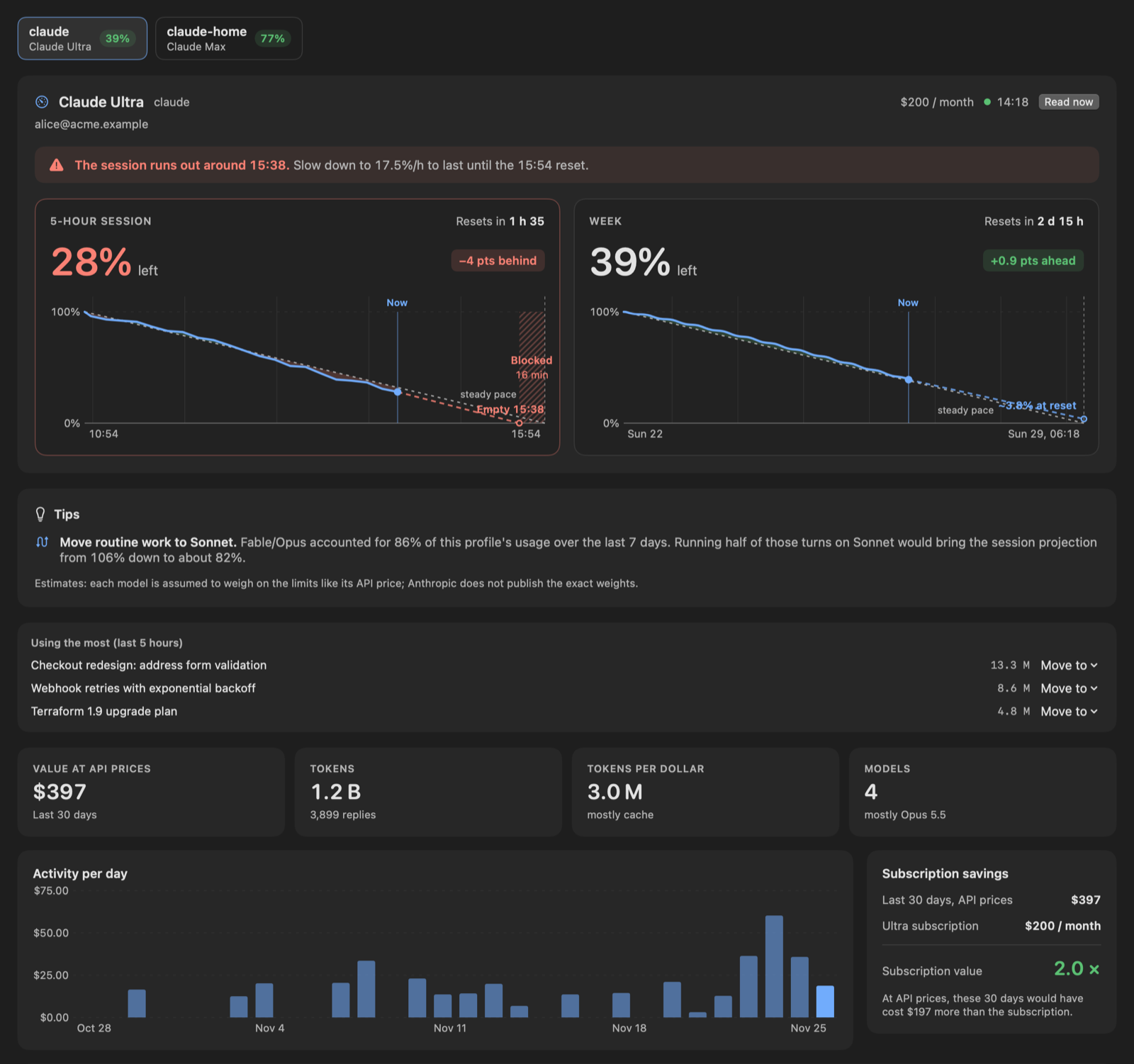
The 5-hour window and the weekly window for each account, a projection up to the reset, and a hint to switch to the account with the most headroom.
Use several Claude accounts without logging in and out: one folder per account and a shared configuration.
Stays on your Mac
No account, no analytics. The index lives in your home folder and nothing is sent to the authors.
You turn things on
Every feature that writes to a Claude Code profile or talks to a server is opt-in.
A command line too
agco lists, searches, puts to sleep and wakes sessions from any terminal or script.
Install
Two commands with Homebrew
Requires macOS 14 Sonoma or later, Claude Code, and iTerm2 or Terminal.
$ brew trust --cask insourcia/tap/agent-companion
$ brew install --cask insourcia/tap/agent-companion
Or by hand:
- Download the zip and its
.sha256file from the latest release, and check it withshasum -a 256 -c. - Move
Agent Companion.appto/Applications. - Clear the quarantine flag, since the app isn't notarized yet:
xattr -dr com.apple.quarantine "/Applications/Agent Companion.app" - Open it. It starts its background daemon and updates itself from then on.
Questions
Before you install
Isn't this what Agent View does?
Agent View, built into Claude Code, manages the background sessions you dispatch from it. Agent Companion follows the sessions you already run in your own terminal tabs, including closed ones, and frees the memory of the idle ones.
Why isn't it notarized?
There's no Apple Developer ID yet. The Homebrew cask clears the quarantine flag for you, each release ships with a SHA-256 file, and the code is on GitHub if you'd rather build it yourself.
How are usage limits read?
With Claude Code's token from the keychain, against an undocumented Anthropic endpoint. Claude Code's terms don't allow third-party tools to collect that token, so the risk is on your account. It's one switch in Settings › Profiles (or agco quotas direct off), and a statusline relay can get the limits from Claude Code itself instead.
Linux or Windows?
macOS only for now: the app drives iTerm2 or Terminal through AppleScript, and its daemon is a LaunchAgent.